How PR Pal works

See what you lifted last time.

Your previous weight and reps sit next to the set you’re logging. Enter today’s numbers and tap the check circle when you’re done.

Set a rest time for the exercise and the timer starts when you finish a set. In a superset, it starts after you finish both exercises in the round.
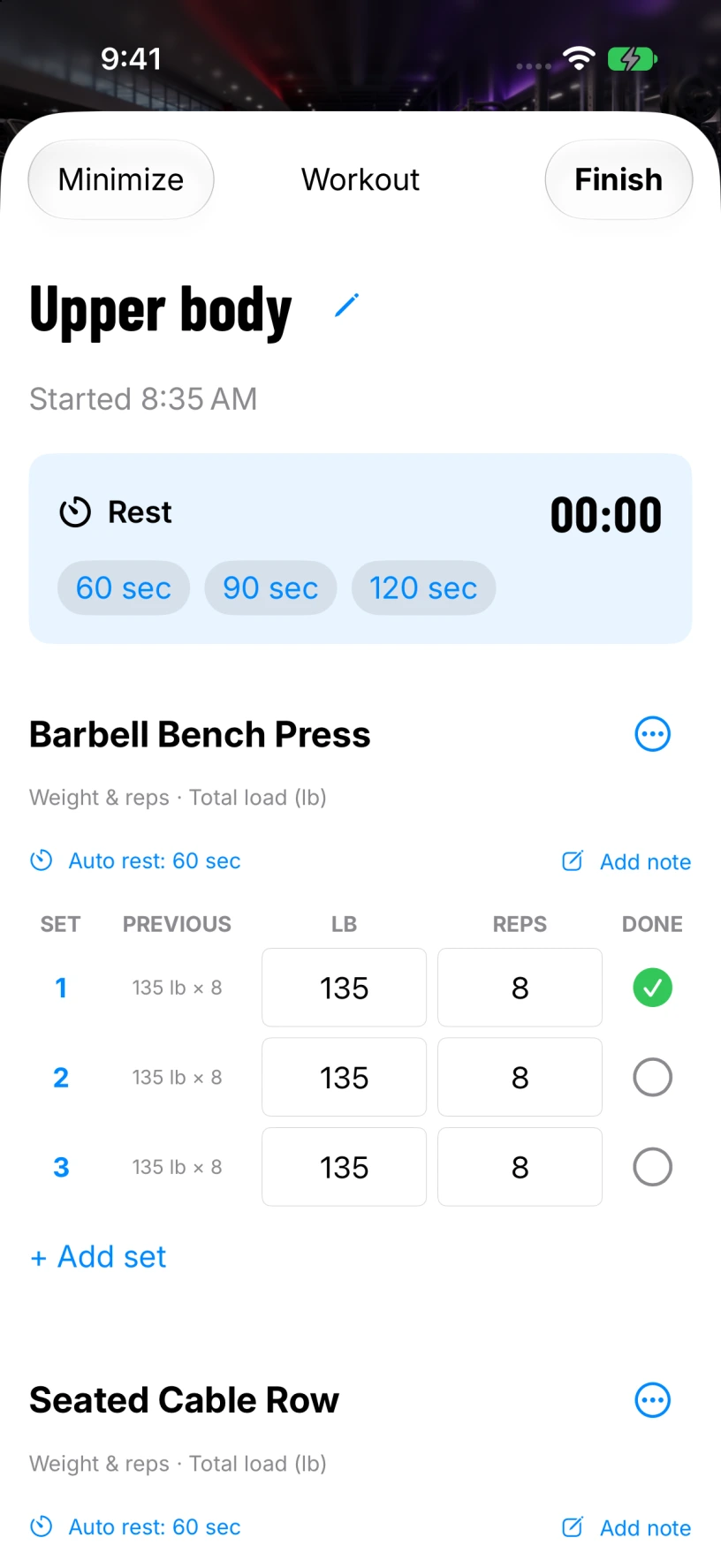
PR Pal workout screen. The first Barbell Bench Press set is logged at 135 pounds for eight reps.

Keep your split on a clipboard.

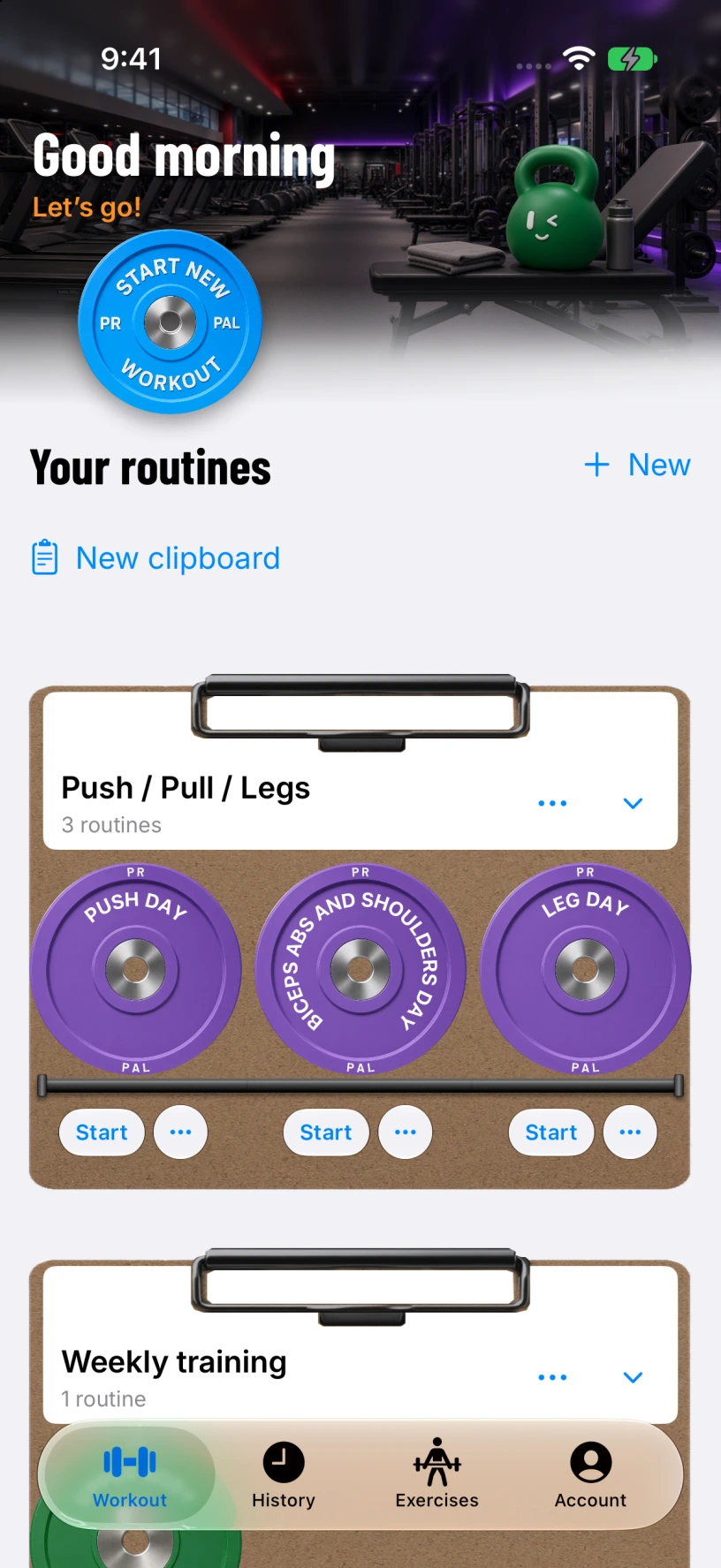
Save your exercises as a routine. Each routine gets a plate you can put on a named clipboard.

Tap a plate to see the exercises, then slide to start. You can also start an empty workout and add exercises as you go.

PR Pal routine screen. Purple routine plates sit on the Push / Pull / Legs clipboard.

Look back at what you did.

Open a past workout to check the sets you logged. Use the calendar to go straight to a date.

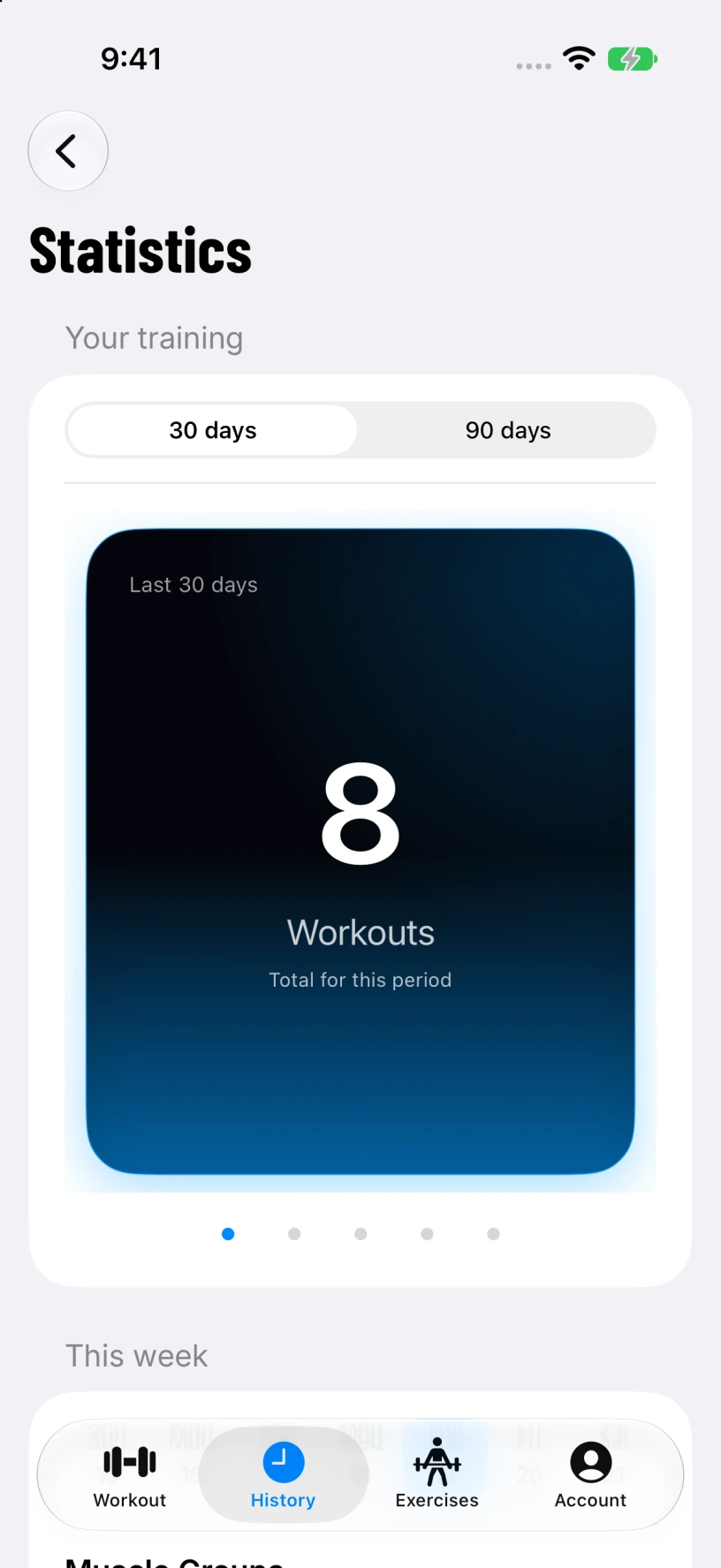
In Statistics, switch between 30 and 90 days and swipe through your workout count, completed sets, recorded volume, longest streak and rest days.

PR Pal Statistics screen. The card shows eight workouts in the last 30 days.

Muscle recovery

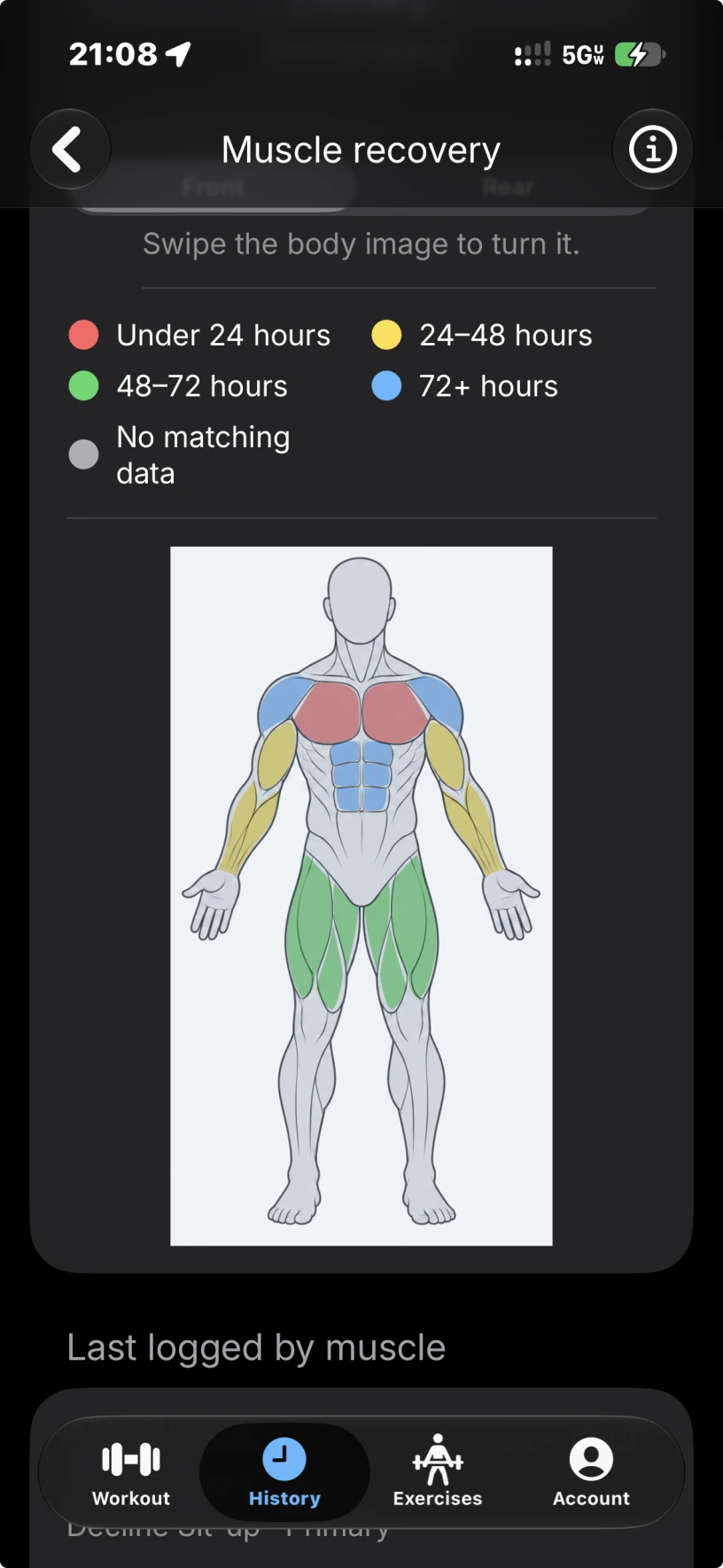
The map colors show how long it’s been since you last logged work for each muscle.

Open Muscle recovery from History. Swipe the map to see the front or rear, then scroll down to see the last exercise logged for each muscle.

PR Pal’s front muscle map from a real workout log. Chest is red for under 24 hours, arms are yellow for 24 to 48 hours, quads are green for 48 to 72 hours, and shoulders and abs are blue for 72 hours or more.